Let your app listen
to your inbox
Turn emails into structured input for your application.
When an email is received, your app gets the full payload so
you can act on it.
import { Resend } from 'resend';const resend = new Resend('re_xxxxxxxxx');const { data, error } = await resend.emails.receiving.list();
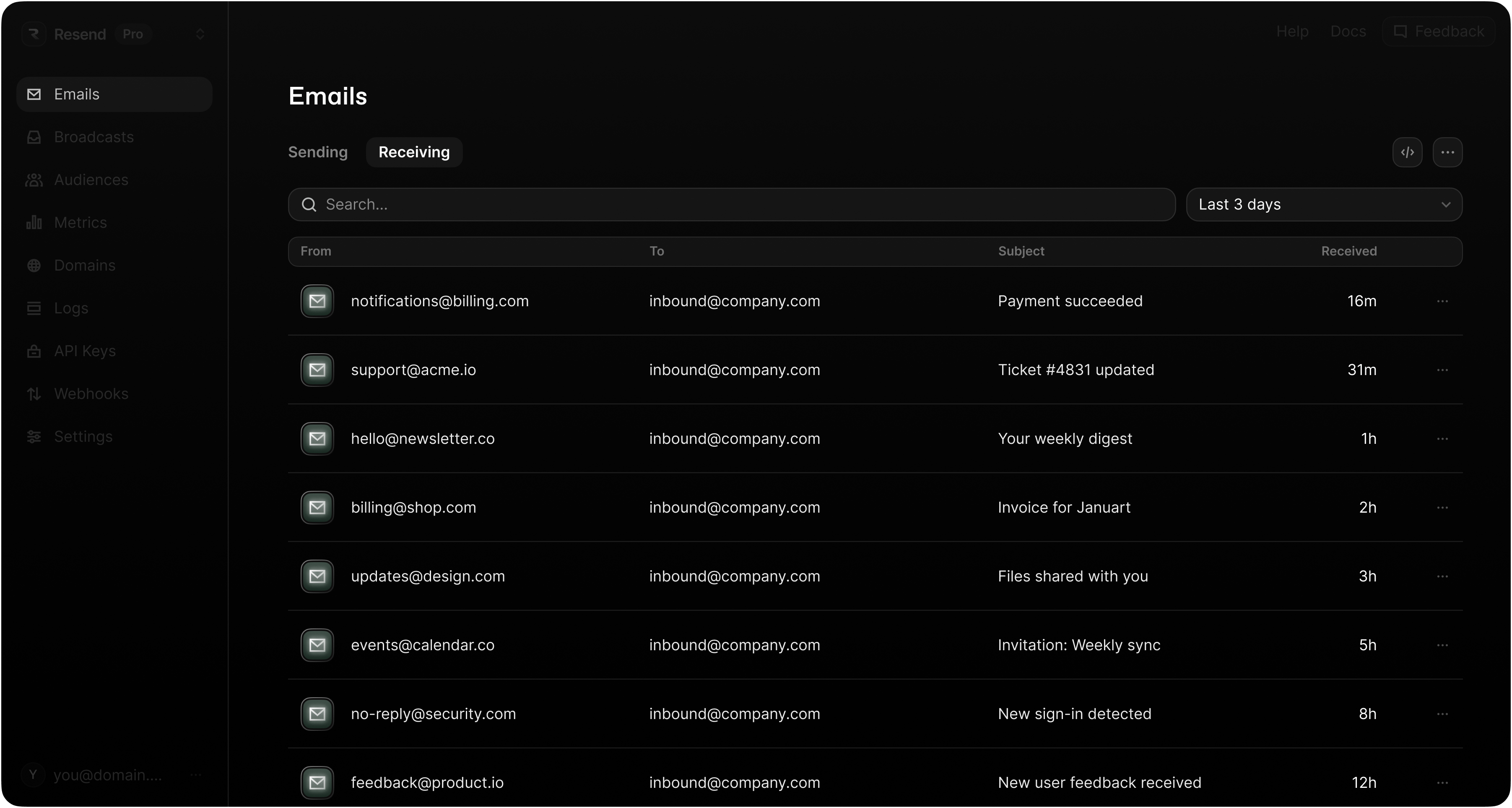
See all your emails
in one place
Explore and manage inbound emails in the dashboard with
built-in redundancy, even during your app’s outages or errors.
Work with email attachments
Access and process files sent to your inbox. Attachments are automatically parsed and delivered with metadata, content type, and base64-encoded data ready for your application to handle.
import { Resend } from 'resend';const resend = new Resend('re_xxxxxxxxx');const { data, error } = await resend.emails.send({from: 'onboarding@resend.dev',to: ['delivered@resend.dev'],subject: 'Hello World',html: '<strong>it works!</strong>',attachments: [{path: 'https://resend.com/static/sample/invoice.pdf',filename: 'invoice.pdf',},],});
Receive structured
email data
Inbound emails are delivered as structured data, making it
easy for your app to parse content and attachments.
Ready for personalization
Use a Resend-provided email address or receive emails on your own domain
Webhook delivery
Receive a POST request to your endpoint when you receive an email
Handles attachments
Parse attachments via the API or one of the 9 official SDKs
Get started
with inbound
Follow these steps to start receiving emails.
Step 1
Get your Resend domain
Any emails sent to this address will be forwarded to your webhook.
Step 2
Configure a webhook
Register your publicly accessible URL and choose which events you want to receive.
Step 3
Receive email events
In your application, create a new route that can accept POST requests.
Start sending in minutes
Resend delivers mission-critical emails for some
of the fastest growing teams.